


Manage memberships
Create booking prices: per session or per season
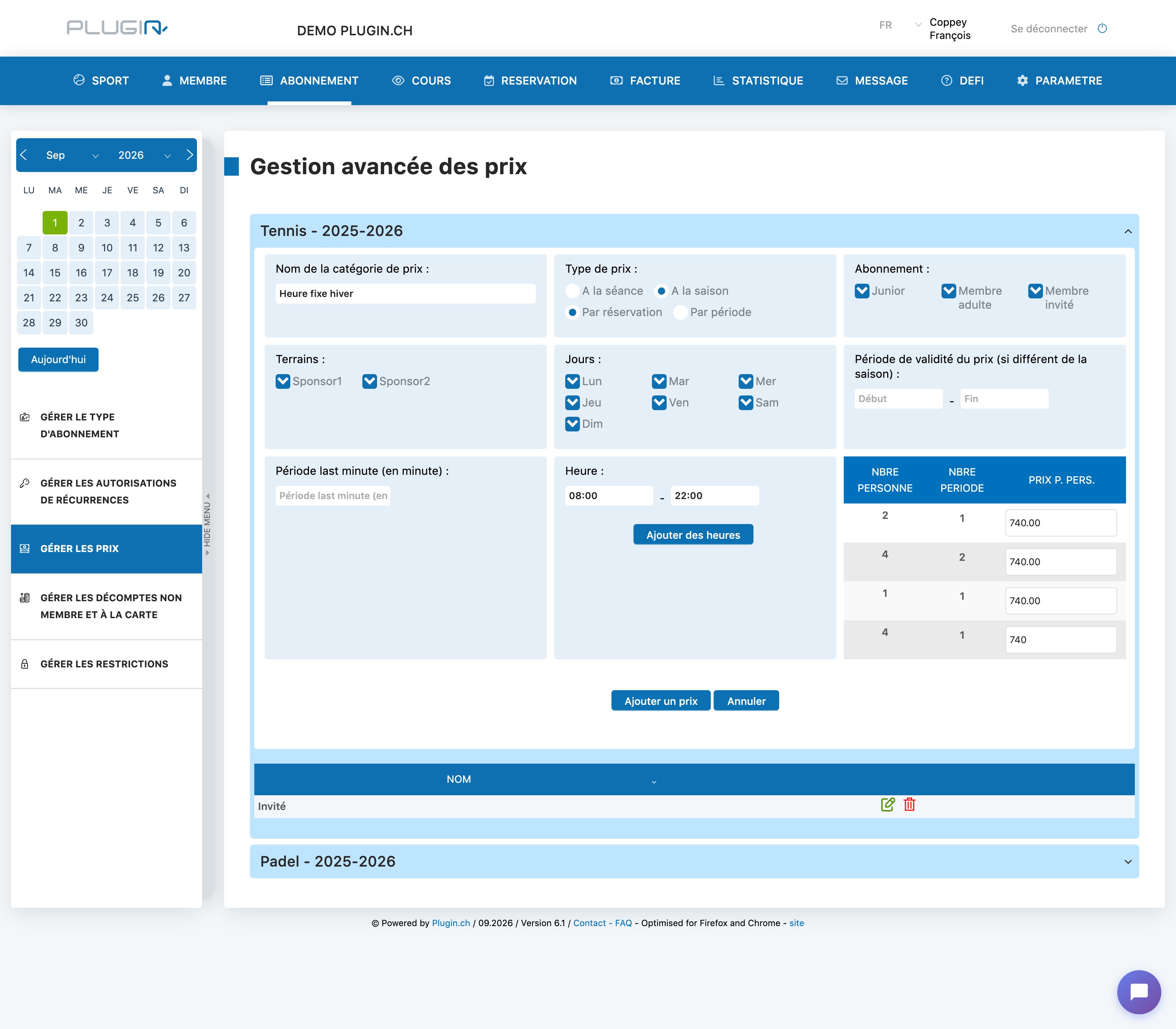
Booking prices are defined in ABONNEMENT → Manage prices (“Advanced price management”). Each price category specifies who pays what, where and when.
1. Create a price category
Expand the relevant sport-season and fill in the form:
- Name of the category (e.g. “Winter fixed hour”, “Guest”);
- Subscriptions concerned — remember to cover members AND non-members/guests, otherwise some players won't have a price;
- Courts, days and time slot where this price applies;
- possibly a validity period if the price does not cover the whole season;
- the grid on the right: the price per person for each combination of number of players / number of periods.
2. “Price type”: the two settings to understand
This is the heart of the form, with two independent choices:
- Per session : the player pays for each booking. Per season : they pay once for the whole season — this is the typical setting for fixed hours (annual subscription for a slot).
- Per booking : the amount entered applies to the entire booking, regardless of its duration. Per period : the amount is calculated per playing period — a booking of 2 periods costs double a booking of 1 period.
Example: a winter fixed hour billed at 740 CHF per player for the whole winter = Per season + Per booking. A guest price of 25 CHF per 30-minute increment = Per session + Per period.
3. Check
After “Add a price”, the category appears in the list below the form (pencil to edit, trash can to delete). This price is then used everywhere it applies — in particular displayed next to the player when assigning a fixed hour (see the article “Manage fixed hours”).
Plugin.ch Tutorial — Manage subscriptions