


Manage settings
Manage RFID validation
Enable and configure RFID badge validation for court access
RFID validation offers a contactless access solution, ideal for modern clubs. Members can access the facilities simply by presenting their RFID badge. Find out how to set up this secure system in Plugin.ch.
Go to the RFID validation menu
In the main menu, select Settings, then Manage RFID validation. This section lets you enable and configure the badge validation settings.
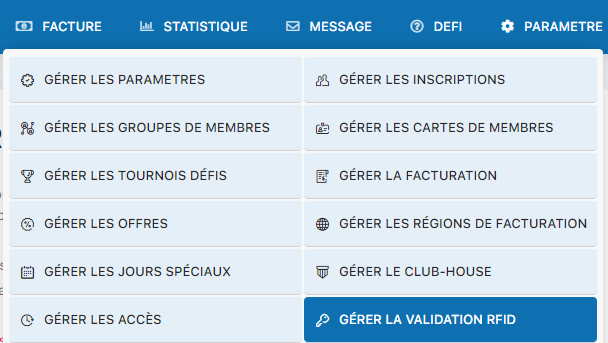
Settings menu – Manage RFID validation
Configure the RFID settings
The RFID configuration panel shows all the settings needed to enable and manage badge validation. See the built-in help text for details on each setting.
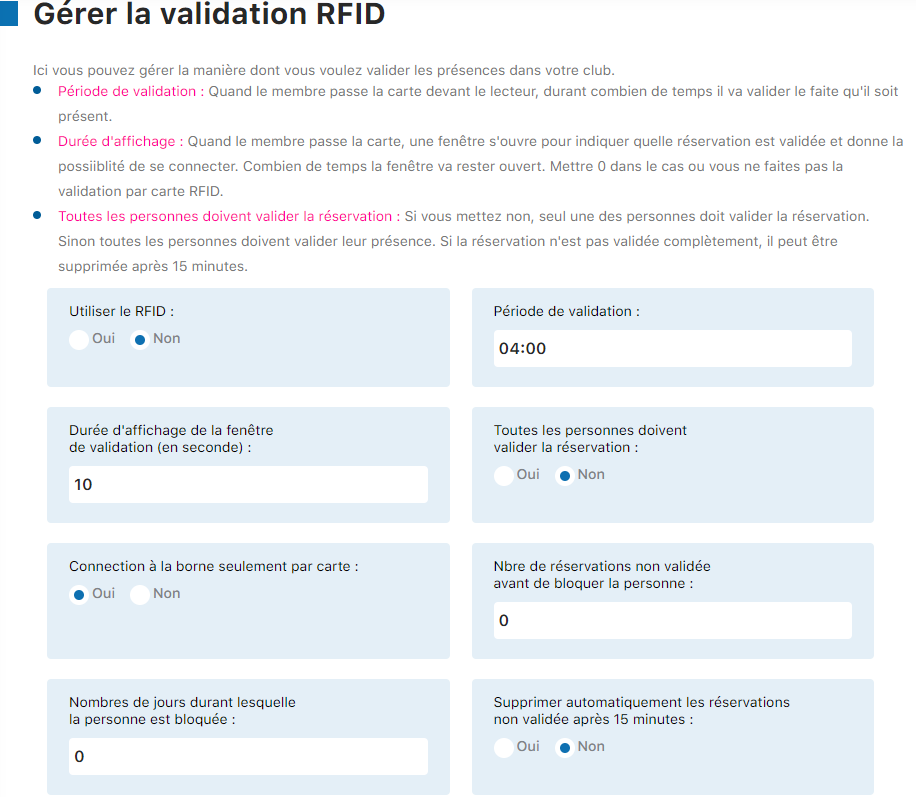
RFID configuration panel – Part 1
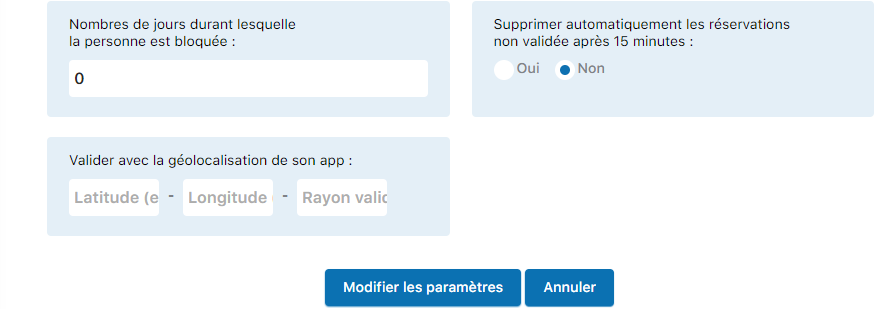
RFID configuration panel – Part 2
Tip
For optimal configuration, check the contextual help available directly in the panel. It provides detailed explanations of each setting and its implications.
Plugin.ch Tutorial — Manage settings